

Top choices
Specs as stated on the manufacturers' listings; the price shows on the retailer's page. Colour · living room, kidsKasa KL125P4 multicolour, 4-packThe colour multipack with the clearest spec sheet. Auto-white follows the daylight pattern, away mode, energy monitoring, UL certified, 2-year warranty.Watch out: The listing says in plain words: do not use with dimmer light switches. No Apple Home, no Matter.Check price on Amazon.ca ↗
 Colour · Matter, Bluetooth fallbackGovee A19 Matter smart bulbs, 4-packThe pack behind most “Govee smart bulb” searches. Fifty-four preset scenes, music sync through your phone microphone, Bluetooth fallback when Wi-Fi is weak, as listed.Watch out: No wattage and no colour-temperature range on the listing. “Cannot be used with smart switches”, says the listing. Music sync only works with the Govee app open and the microphone free.Check price on Amazon.ca ↗
 Apple Home · no cloud accountLinkind Matter A19, 2-packThe listing promises Matter control “without cloud services”, an RG0 low-blue-light rating and no visible flicker. The 1800 K floor is the warmest of our picks for a candle-like evening.Watch out: “Generally not compatible with traditional dimmer switches”, says the listing. Lumens are a 60 W equivalent claim, not a measured figure we can check.Check price on Amazon.ca ↗
A smart light bulb is the cheapest piece of smart home you can buy, and the one most people get wrong on the first try. The bulb goes on a dimmer and flickers. The phone sits on 5 GHz and the pairing fails. Someone flips the wall switch and the whole room drops offline. None of that is the bulb’s fault. It comes down to three choices made before you pay: how the bulb connects, which assistant it answers to, and whether a bulb was the right place to put the smarts at all.
The short answer
- Lamps and ceiling fixtures, white light only: the Kasa KL110P4 four-pack. 800 lumens from 9 W, 2700 K, dims to 1 %, no hub, as listed.
- Colour for the living room or a kid’s bedroom: the Kasa KL125P4 four-pack, or the Govee A19 four-pack if you want Matter and a Bluetooth fallback.
- Apple Home, or a bulb that works without a cloud account: the Linkind Matter two-pack.
- A whole-house system you will grow for years: Philips Hue. Start with the Bluetooth warm white two-pack, or go straight to the Essential starter kit with Bridge.
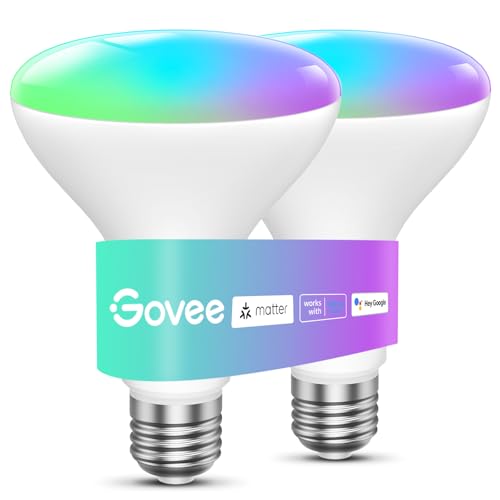
- Pot lights: the Govee BR30 at 1200 lumens. Porch or patio: the Hue PAR38, UL Wet Location rated.
How we picked, and what we did not do: we have not run these bulbs through a light meter. Every specification on this page is quoted from the manufacturer’s Amazon.ca listing, checked November 6, 2026, and every product linked was in stock in Canada that day. Where a listing leaves a number out, we say so instead of filling it in. Links to Amazon are affiliate links; BranchéQC may earn a commission at no extra cost to you. We do not write prices by hand: the button says “Check price” and the Amazon page is what counts.
How to choose a smart light bulb
Five questions, in the order that saves the most returns:
- What base and shape does the fixture take? In Canada the standard screw base is E26. A19 is the ordinary bulb shape, BR30 is the wide flood for recessed cans, PAR38 is the outdoor flood, GU10 is a small twist-in spot, E12 is the candelabra base in chandeliers. A smart bulb in the wrong shape sticks out of the fixture or does not fit at all.
- How bright, in lumens? About 800 lumens replaces the old 60 W bulb; 1100 to 1200 replaces a 75 to 85 W. Ignore the watt-equivalent on the box and read the lumen figure.
- White only, tunable white, or colour? White-only bulbs are cheaper per socket. Tunable white lets you go warm at night and cool at the desk. Colour is for a living room, a games room or a kid’s bedroom, and every colour bulb on this page also does tunable white.
- How does it connect? Wi-Fi with no hub, Bluetooth, Zigbee through a Hue Bridge, or Matter. This decides whether the bulb works when the internet is down, how many you can add, and whether Apple Home sees it.
- Is the wall switch a dimmer? If yes, stop: either replace the dimmer with a plain switch, or buy a smart switch instead of smart bulbs. More on that below.
Lumens, not watts, and 2700 K versus 4000 K
Watts measure what the bulb draws; lumens measure what comes out. Every A19 pick here lists 800 to 810 lumens, and the ones that state a wattage draw 9 W for it: Kasa, Linkind and Hue all do, as listed. Govee’s A19 listing gives 800 lumens and no wattage, which is common and not a red flag, but it means you cannot compare efficiency from the listing alone. The Govee BR30 lists 1200 lumens and the Hue PAR38 1300 lumens, which is why those are the pot-light and porch picks.
Colour temperature is the number in kelvin. 2700 K is the warm, yellowish light of the old incandescent: bedrooms, living rooms, dining. 3000 K is a touch whiter and suits kitchens. 4000 K is neutral white for a workbench, a laundry room or a home office, and 5000 K and up looks like a cloudy noon sky and most people find it cold in a home. A tunable bulb moves across the range: Kasa lists 2500 to 6500 K, Linkind 1800 to 6500 K, the Hue Essential kit 2200 to 6500 K. The Kasa KL110P4 is fixed at 2700 K, which is exactly right for a lamp and wrong for a desk.
Two smaller numbers worth reading. CRI, the colour rendering index, says how natural colours look under the light; the Kasa KL110P4 lists CRI 90 or better and the Govee BR30 lists CRI 90+. And the dimming floor: Hue’s Essential kit dims to 2 %, its warm white bulb to 5 %, Kasa to 1 %, the Amazon Basics bulb only to 5 %. A low floor matters for a bedside lamp.
Never put a smart bulb on a dimmer switch
This is the single most common failure, and the makers say it on their own listings. Kasa: “Do not use KL125 with dimmer light switches.” Linkind: “generally not compatible with traditional dimmer switches.” Amazon Basics: “not compatible with a physical dimmer.” Govee goes further and says its bulbs cannot be used with smart switches either.
The reason is simple. A smart bulb has a radio and a small computer inside, and it dims itself by controlling its own LEDs. A wall dimmer chops the incoming power, so the radio browns out, the bulb flickers, buzzes, drops off the network, or dies early. The fix is one of two things: have the dimmer replaced by a plain on-off switch, or skip smart bulbs on that circuit and put the intelligence in a smart dimmer switch that drives ordinary dimmable LED bulbs. Swapping the switch is electrical work: in every province that is a licensed electrician’s job, and in Quebec a homeowner is not permitted to replace a switch or receptacle at all.
The same logic explains the second complaint: “the bulb keeps going offline.” Someone turned off the wall switch. A smart bulb needs power to listen. Tape the switch, put a cover on it, or teach the household that the bulb is now the switch.
2.4 GHz only: why pairing fails
Every Wi-Fi bulb on this page states it: 2.4 GHz only, no 5 GHz. Kasa, Govee, Linkind, Tapo, Lepro, Amazon Basics, all the same. The bulb cannot see your 5 GHz network, and if your phone is on 5 GHz during setup, the app cannot hand the bulb its credentials.
On a modern mesh router both bands share one name and the phone picks 5 GHz on its own. The reliable fix is to log into the router, give the 2.4 GHz band its own name for the duration of setup, join the phone to it, pair the bulbs, then merge the bands again if you like. Once paired, the bulbs stay on 2.4 GHz and do not care what the phone does.
The other 2.4 GHz issue is crowding. Each Wi-Fi bulb is a device on your router, and a house with twenty of them plus plugs, cameras and a thermostat can hit the limit of a cheap router’s device table. Past a dozen bulbs, this is the argument for a Hue Bridge, which moves the bulbs onto their own Zigbee network, or for a smart switch that puts one device on the network instead of six.
Philips Hue: Bridge or Bluetooth, in one paragraph
Every current Hue bulb pairs over Bluetooth straight out of the box, so one or two lamps with the phone in the room need nothing else. The Bridge (Ethernet to the router, Zigbee to the bulbs) adds control from anywhere, schedules, the dimmer switch and motion sensor, and the Matter connection for Apple Home, Google Home and Alexa; three rooms or more, outdoor lights or anything that must happen while you are away, buy the starter kit with the Bridge on day one. One trap: Philips also sells “Connected by WiZ” bulbs whose listings say they are not compatible with Hue. The whole ecosystem, Bridge and Bridge Pro, strips, Go and Play, outdoor fixtures, accessories and how Hue compares with Govee and WiZ, is in our guide to Philips Hue in Canada.
Wi-Fi, Zigbee, Matter and Thread: what the labels mean
Wi-Fi, no hub (Kasa, Govee, Tapo, Amazon Basics) is the simplest to start and the heaviest on your router. Each bulb joins the home network and usually reaches the maker’s servers for remote control. Zigbee (Hue with Bridge) is a separate low-power mesh: bulbs relay for each other, the Bridge is the only device on your Wi-Fi, and the system keeps working locally if the internet drops.
Matter is the shared standard that Apple, Google, Amazon and Samsung all signed on to. A Matter bulb can be added to Apple Home, Google Home, Alexa or SmartThings with a QR code, without the maker’s app in the middle, and it is controlled on your local network. Among our picks, the Govee A19 and BR30, the Linkind A19 and the Hue system through its Bridge are Matter devices, as listed. The Tapo L535E four-pack is the bright option in this group: Matter-certified, 1100 lumens, 2500 to 6500 K, native Apple Home, Alexa, Google Home and SmartThings, and the listing states it “maintains LAN control if internet goes offline”.
Thread is the low-power radio some Matter devices use instead of Wi-Fi. It needs a border router in the house, typically an Apple TV 4K, a HomePod, a Nest Hub or a recent Echo. None of the bulbs on this page lists Thread; they all run Matter over Wi-Fi. That is fine for a few bulbs, and it is one more reason the Zigbee Bridge still makes sense past a dozen.
Alexa, Google Home or Apple Home
Alexa and Google Home are supported by every bulb here except one. The Amazon Basics colour A19 works “exclusively with Alexa” and states it is not compatible with Google Assistant, Apple HomeKit or SmartThings. It sets up straight from the Alexa app with no third-party account, which is genuinely convenient in an Echo household, and useless in any other. The listing also says it is suitable for damp locations such as bathrooms, the only bulb here to say so.
Apple Home is the filter. Among the Wi-Fi bulbs, only the Matter ones appear in the Home app: Linkind, Govee and Tapo. Hue appears through the Bridge. The Kasa KL110 and KL125 listings name Alexa and Google only. If someone in the house runs an iPhone and wants Siri to turn the lights off, choose from the Matter column of the table below.
When a smart switch beats smart bulbs
The bulb is the right place for the smarts when one lamp or one fixture is involved, when you want colour, or when you rent and cannot touch the wiring. The switch is the right place in four cases:
- One switch, many bulbs. A kitchen with eight pot lights on one switch is eight smart bulbs on your Wi-Fi, or one smart dimmer and eight ordinary dimmable LEDs.
- Sealed LED fixtures. Many new ceiling fixtures and some pot lights have no replaceable bulb. Only a switch can make them smart.
- Guests and kids. A smart switch still works as a switch. A smart bulb behind a wall switch goes dark the moment someone flips it.
- You already own a dimmer. Replace it with a smart dimmer rather than fighting it with bulbs.
Our guide to the best smart light switches and dimmers in Canada covers neutral wires, three-way circuits and what the electrician will charge for. For a lamp you only want on and off, a smart plug is cheaper than a smart bulb and keeps the lamp’s own bulb.
The eight picks, compared on published specs
Every figure is the manufacturer’s own. Where a listing gives no number, the table says so rather than guessing.
| Model | Shape | Light (as listed) | Connection | Works with |
|---|---|---|---|---|
| Kasa KL110P4 soft white, 4-pack | A19, E26, white only | 800 lm, 9 W, 2700 K, CRI 90 or better (as listed) | 2.4 GHz Wi-Fi, no hub | Alexa, Google Home |
| Kasa KL125P4 multicolour, 4-pack | A19, E26, colour + tunable white | 800 lm, 9 W, 2500 to 6500 K plus 16 million colours (as listed) | 2.4 GHz Wi-Fi, no hub | Alexa, Google Home |
| Govee A19 Matter smart bulbs, 4-pack | A19, E26, colour + tunable white | 800 lm, wattage not stated | 2.4 GHz Wi-Fi + Bluetooth, Matter | Matter, Alexa, Google Home; HomeKit named in one bullet |
| Linkind Matter A19, 2-pack | A19, E26, colour + tunable white | 800 lm, 9 W, 1800 to 6500 K (as listed) | 2.4 GHz Wi-Fi, Matter | Alexa, Apple Home, Google Home, any Matter app |
| Philips Hue warm white A19, 2-pack (Bluetooth) | A19, E26, white only, 2700 K | 810 lm, 9 W, 2700 K, dims to 5 % (as listed) | Bluetooth out of the box; Zigbee via Hue Bridge | Hue app; Alexa, Google, Apple Home with a Bridge |
| Philips Hue Essential starter kit: Bridge + 4 bulbs | A19, E26, colour + tunable white, with Bridge | 2200 to 6500 K, dims to 2 %; lumens not stated on the kit listing | Zigbee to the Hue Bridge; Bridge on your router | Alexa, Google Home, Apple Home, SmartThings |
| Govee BR30 smart bulbs, 2-pack | BR30 flood, E26, for pot lights | 1200 lm, 85 W equivalent, CRI 90+, 2700 to 6500 K (as listed) | 2.4 GHz Wi-Fi + Bluetooth, Matter | Matter, Alexa, Google Home |
| Philips Hue PAR38 outdoor, colour | PAR38 flood, E26, outdoor | 1300 lm, 100 W equivalent, colour + white (as listed) | Zigbee; Hue Bridge for remote control | Alexa, Google, Apple Home via Bridge; Matter via Bridge |
Which smart bulb for which room
Kasa KL110P4 soft white, 4-packA19, E26, white only · 2.4 GHz Wi-Fi, no hubLamps and ceiling fixtures you only want to dim and schedule. Dimming from 1 to 100 % in the app, energy monitoring, UL certified, 2-year warranty, all as listed.Watch out: White only, 2700 K fixed: no cool-white mode for a desk. No Apple Home and no Matter on this listing.Check price ↗Kasa KL125P4 multicolour, 4-packA19, E26, colour + tunable white · 2.4 GHz Wi-Fi, no hubThe colour multipack with the clearest spec sheet. Auto-white follows the daylight pattern, away mode, energy monitoring, UL certified, 2-year warranty.Watch out: The listing says in plain words: do not use with dimmer light switches. No Apple Home, no Matter.Check price ↗Govee A19 Matter smart bulbs, 4-packA19, E26, colour + tunable white · 2.4 GHz Wi-Fi + Bluetooth, MatterThe pack behind most “Govee smart bulb” searches. Fifty-four preset scenes, music sync through your phone microphone, Bluetooth fallback when Wi-Fi is weak, as listed.Watch out: No wattage and no colour-temperature range on the listing. “Cannot be used with smart switches”, says the listing. Music sync only works with the Govee app open and the microphone free.Check price ↗Linkind Matter A19, 2-packA19, E26, colour + tunable white · 2.4 GHz Wi-Fi, MatterThe listing promises Matter control “without cloud services”, an RG0 low-blue-light rating and no visible flicker. The 1800 K floor is the warmest of our picks for a candle-like evening.Watch out: “Generally not compatible with traditional dimmer switches”, says the listing. Lumens are a 60 W equivalent claim, not a measured figure we can check.Check price ↗Philips Hue warm white A19, 2-pack (Bluetooth)A19, E26, white only, 2700 K · Bluetooth out of the box; Zigbee via Hue BridgeThe way into Hue without the Bridge: screw it in, pair over Bluetooth in the Hue app. The listing says a Bridge can be added later to the same bulbs, up to 50 lights.Watch out: Bluetooth means phone-in-the-room control only. Away-from-home control and automations need the Bridge, as the listing itself says.Check price ↗Philips Hue Essential starter kit: Bridge + 4 bulbsA19, E26, colour + tunable white, with Bridge · Zigbee to the Hue Bridge; Bridge on your routerThe clean way to start a Hue system: the Bridge takes the bulbs off your Wi-Fi, and the kit works with all four big assistants, as listed.Watch out: The kit listing gives no lumen figure and no wattage. The Bridge needs an Ethernet port on your router.Check price ↗Govee BR30 smart bulbs, 2-packBR30 flood, E26, for pot lights · 2.4 GHz Wi-Fi + Bluetooth, MatterRecessed cans in a kitchen or basement. The brightest pick on this page, and it keeps the Matter and Bluetooth fallback of the Govee A19.Watch out: “Cannot be used with smart switches”, says the listing. No wattage stated. Measure your can: a BR30 is wider than an A19.Check price ↗Philips Hue PAR38 outdoor, colourPAR38 flood, E26, outdoor · Zigbee; Hue Bridge for remote controlThe only outdoor-labelled bulb on this page: UL Wet Location rated, written for porch, patio and garden, as listed.Watch out: No operating temperature is stated on the listing. Automations and away-from-home control need the Hue Bridge.Check price ↗


Outdoor smart bulbs and Canadian cold
An indoor A19 in a porch fixture is a gamble. Rain, condensation and the freeze-thaw cycle get into the base, and nothing on the indoor listings promises otherwise. Buy a bulb that says outdoor on the listing. Two did when we checked: the Philips Hue PAR38, “UL Wet Location rated” and written for porch, patio, front door and garden, and the LIFX Colour PAR38, listed as IP65 weatherproof, 1600 lumens, indoor or outdoor, Wi-Fi with no hub, working with Alexa, Google Home and Siri.
Now the honest part. Neither listing states an operating temperature range. Nor does any other bulb listing we checked. A Winnipeg or Saguenay January at minus 30 is a real question for the electronics inside the bulb and for the Wi-Fi radio, and the makers do not answer it on Amazon.ca. What we can say is practical: a PAR38 in a downward-facing, covered fixture is protected from direct snow and standing water; a bare bulb in an upward socket is not. Cold itself is kind to LEDs; the problems are moisture and the on-off thermal cycling of a bulb that runs warm then sits at minus 25.
For the Hue PAR38, remember the Bridge: outdoor automations such as “on at sunset, off at midnight” and control from the car need it. The LIFX runs on Wi-Fi alone, so the question becomes whether your 2.4 GHz signal reaches the porch through an exterior wall.
Pot lights: BR30 and GU10
Recessed cans are where smart bulbs either shine or get returned. Measure first. Most Canadian cans are 5 or 6 inches and take an E26 flood: the Govee BR30 above, 1200 lumens and Matter, is the pick, and it is wider and shorter than an A19, so check that it sits flush. Smaller 4-inch cans and many track heads take a GU10 twist base. The Govee GU10 four-pack lists 400 lumens, Matter, 2.4 GHz only, and a size of 2.28 inches high by 1.97 inches wide; its listing warns in capitals that this is a GU10 base, not GU24, and not a screw-in. It also says it cannot be used with smart switches or dimmer switches, like the other Govee bulbs.
Count the cans before you decide. Four or fewer on one switch, smart bulbs are fine. Eight on one switch is the textbook case for a smart dimmer and plain dimmable BR30s instead. (Our French guide to pot lights in Quebec covers the installation side, in French.)
Enclosed fixtures and damp locations
Heat kills electronics, and an enclosed glass fixture traps it. Ordinary LED bulbs carry an “enclosed fixture rated” line when they are built for it. None of the smart bulb listings we checked carries that line. That does not prove a problem; it means the maker has not promised otherwise, and a bulb with a Wi-Fi radio inside a sealed globe is running warmer than it would in a lamp. If the fixture is a closed globe or a flush-mount drum, this is one more argument for a smart switch and plain enclosed-rated LEDs.
For bathrooms, the Amazon Basics listing is the only one to state suitability for damp locations. Kasa gives an operating humidity of 10 to 90 % RH, non-condensing, which rules out a shower enclosure but not a vanity. The rest say nothing, so keep them to dry rooms.
What a smart bulb costs to run
Almost nothing, and the arithmetic is worth doing once because the “save energy” claims on the boxes are about replacing incandescents, not about the smart part. Take one 9 W bulb on for 3 hours a day: 9 W × 3 h × 365 days is about 9.9 kWh a year. At an example rate of 10 cents per kWh, that is roughly one dollar a year. The 60 W incandescent it replaces would use about 66 kWh for the same hours, or about six and a half dollars at the same example rate. Your provincial rate is different; the ratio is not.
The smart part adds a small standby draw, because the radio listens even when the light is off. Few listings state it. The Tapo L530E two-pack is one that does, at under 0.2 W standby, which works out to under 2 kWh a year per bulb, or a few cents. Twenty bulbs, then, is a couple of dollars a year in standby at the example rate. The real savings from smart bulbs come from schedules and the “turn everything off” command, not from the bulb itself.
Privacy: what a light bulb knows about you
A Wi-Fi bulb tied to a maker’s account records when your lights go on and off, which is a decent picture of when you are home, awake and away. In Canada the federal private-sector privacy law and the provincial laws in Quebec, British Columbia and Alberta require a company to tell you what it collects and why, and to let you ask for your data and its deletion; we are not lawyers, and the practical advice is to read the maker’s privacy policy before creating the account, and to pick the architecture that keeps the most at home.
Three of our picks make that easier on their own terms. The Linkind listing promises Matter control “without cloud services”. The Tapo L535E listing promises local control when the internet is down. Hue with a Bridge runs its routines on the Bridge itself. Govee’s music sync, by contrast, uses the microphone on your phone through the Govee app, which the listing says must be open with microphone permission granted. Grant that permission only while you use the feature.
What you can do yourself, and what needs an electrician
Screwing a smart bulb into an existing socket is not electrical work anywhere in Canada. Plugging in a lamp, pairing an app, mounting a battery-powered Hue dimmer on the wall with its adhesive plate: all yours.
Everything that touches the fixed wiring is not. Replacing a dimmer with a plain switch, installing a smart switch, adding a porch fixture for that PAR38, converting a can: that is a licensed electrician in every province. Ontario, Alberta and British Columbia allow a homeowner to pull a permit for some work in their own home; Quebec does not allow a homeowner to replace even a switch or a receptacle, and the work must be done by a licensed contractor. Insurance follows the same line. If your smart-lighting plan ends with “and then I swap the switch”, budget for the visit, and have the electrician do every switch in the plan on the same call.
Where to buy smart light bulbs in Canada
| Retailer | Strength | Note |
|---|---|---|
| Amazon.ca | Widest range: Hue, Kasa, Govee, Linkind, Tapo, BR30, GU10, PAR38, multipacks | Read the platform list and the 2.4 GHz line on every listing |
| Canadian Tire | Hue and house-brand smart bulbs in store | Range varies by store; multipacks are thinner than online |
| Home Depot, RONA | Hue, WiZ and bulbs alongside the switches and fixtures | Good place to buy the smart dimmer and the bulbs together |
| Best Buy | Hue, Govee, Nanoleaf, starter kits | Watch for Hue Bridge bundles in season |
| Costco | Occasional multipacks, often white only | Check the kelvin and the platform list before the cart |
Frequently asked questions
What is the best smart light bulb in Canada?
For most rooms, the Kasa KL125P4 colour 4-pack or the KL110P4 white 4-pack: 800 lumens, 9 W, 2.4 GHz Wi-Fi, no hub, as listed. For Apple Home or a hub-free Matter setup, the Linkind Matter 2-pack. For a whole-house system, the Philips Hue Essential starter kit with Bridge.
Do smart bulbs work with a dimmer switch?
No. The bulb dims itself through the app or by voice, and a wall dimmer chops the power it needs to keep its radio alive. Kasa, Linkind, Govee and Amazon Basics all say so on their listings. Leave the wall switch on a plain on-off, or put the smarts in the switch instead.
Do I need the Philips Hue Bridge?
Not to start. Hue bulbs pair over Bluetooth in the Hue app for in-room control. The Bridge adds away-from-home control, schedules, accessories and up to 50 lights on one system, as the listings state, and moves the bulbs off your Wi-Fi onto Zigbee.
Why will my smart bulb not connect to Wi-Fi?
Almost always the band. Every Wi-Fi bulb on this page is 2.4 GHz only. Join your phone to the 2.4 GHz network during pairing, or split the bands on your router for the setup, then switch back.
Can I use a smart bulb outside in a Canadian winter?
Only a bulb labelled for outdoor or wet locations, in a fixture that protects it. The Philips Hue PAR38 is UL Wet Location rated and the LIFX PAR38 is IP65, as listed. Neither listing states an operating temperature, so treat deep cold as untested by the maker.
Smart bulb or smart switch?
A smart switch when one wall switch controls several bulbs, when the fixture is a sealed LED, or when guests keep flipping the switch and knocking the bulbs offline. Smart bulbs when you want colour, when you rent, or when one lamp is all you need. A switch means a licensed electrician in every province.
Do smart bulbs work with Alexa, Google Home and Apple Home?
Alexa and Google Home: every bulb on this page except the Amazon Basics, which works with Alexa only, as listed. Apple Home: the Matter bulbs from Linkind, Govee and Tapo, and Hue through its Bridge. Check the exact platform list on the listing before you buy a multipack.
Which smart bulb fits pot lights?
Measure the can and read the base. Most Canadian recessed cans take an E26 BR30 flood, like the Govee BR30 at 1200 lumens. Small GU10 pot lights take a twist-in GU10 bulb, like the Govee GU10 at 400 lumens. The Govee GU10 listing warns it is not a GU24 base and will not screw in.
Keep reading
If one wall switch runs the room, start with the best smart light switches and dimmers in Canada. For a lamp you only want on a schedule, the best smart plugs in Canada are cheaper than any bulb here.
To tie the lights to the rest of the house, our smart home automation guide for Canada walks through Matter, hubs and routines, and the best smart thermostats in Canada is where the real energy savings live.