

The short answer
- Most people, students, office work: MacBook Air 13 with M5.
- Want a bigger screen, still fanless: MacBook Air 15.
- Want the XDR screen, HDMI and SD slot: MacBook Pro 14 with M6.
- Video, photo, heavy code, three monitors: MacBook Pro 14 or 16 with M5 Pro.
- Want touch and the best screen Apple makes: MacBook Pro PROLED XDR.
Top choices
Specs as stated on the manufacturers' listings; the price shows on the retailer's page. Big screen without the Pro priceMacBook Air 15" (M5, 16GB, 512GB)A 15.3-inch screen, six speakers and the 10-core GPU, still fanless, and at 1.51 kg still lighter than the 14-inch M6 Pro, per Apple. For spreadsheets side by side, home office work and anyone who finds 13 inches cramped.Watch out: Same two ports and 500-nit screen as the 13-inch. At 1.51 kg it is heavier to carry to class every day.Check price on Amazon.ca ↗
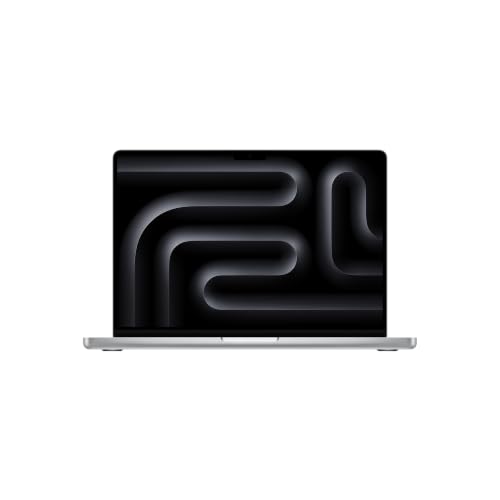 The entry Pro · XDR screen, HDMI, SDMacBook Pro 14" (M6, 16GB, 1TB)The cheapest way into the Pro: a 120 Hz ProMotion XDR screen, a third Thunderbolt port plus HDMI and SDXC, 1TB to start and up to 24 hours of video, tied with the 16-inch Pro for Apple's longest rating. Announced October 27, 2026.Watch out: Still two external displays, like the Air. Thunderbolt 4, not 5. Memory tops out at 32GB.Check price on Amazon.ca ↗
 Biggest screen · 3 external displaysMacBook Pro 16" (M5 Pro, 24GB, 1TB)For video editors, photographers and developers who live on one machine. The M5 Pro with 18 CPU and 20 GPU cores, 24GB to start, Thunderbolt 5, three external displays and a 100 Wh battery, per Apple. This listing is a French Canadian keyboard configuration.Watch out: 2.14 kg and a 140W adapter: a desk machine you can carry, not an ultralight. Check the keyboard layout on the listing if you type in English.Check price on Amazon.ca ↗
Apple now sells six MacBook lines in Canada, per its Mac comparison page: the MacBook Neo, the Air 13 and Air 15 with M5, the 14-inch Pro with M6, and two families of 14- and 16-inch Pros with M5 Pro or M5 Max, one with a Liquid Retina XDR screen and one with the new PROLED XDR touch screen. The 2025 14-inch Pro with M5 has been replaced. This page compares the Air and the Pro on what Apple publishes, then tells you which one fits how you work.
How we picked, and what we did not do: we have not tested these laptops. This is a buyer’s guide compared on Apple’s specs: specifications and starting prices are quoted from Apple Canada’s spec, store and environmental pages, read November 19, 2026 and linked where they appear, or from each Amazon.ca listing where Apple agrees. Every product on a card was in stock in Canada that day. Links to Amazon are affiliate links; BranchéQC may earn a commission at no extra cost to you. We do not write Amazon prices: the button says “Check price on Amazon.ca” and the Amazon page is what counts.
Quick verdict by profile
- Student: the MacBook Air 13. Light, silent, a full day of battery on Apple’s rating, and the lowest education price of the Air and Pro. More in best MacBook for students.
- Office and remote work: the Air 13, or the Air 15 if it lives on a kitchen table. Two external monitors are enough for most home offices. See our best laptop for working from home guide for docks and monitors.
- Coding: an Air with 24GB for web and mobile work, or the Pro 14 with M6 for the extra port, HDMI and screen. Containers, local AI models and big builds point to an M5 Pro. Our best laptop for programming guide goes further.
- Photo and video: a Pro with M5 Pro. The XDR screen, the SD card slot, Thunderbolt 5 and three external displays are made for this work. The PROLED XDR adds Adobe RGB coverage, per its listing.
- Light gaming: more GPU cores help, so the Air 15 (10-core GPU) or the Pro 14 with M6 (12-core GPU). Check that your games run on macOS before you buy any Mac.
MacBook Air vs MacBook Pro: full specs
Every figure below comes from Apple Canada’s spec pages for the MacBook Air, the MacBook Pro Liquid Retina XDR and the MacBook Pro PROLED XDR, read November 19, 2026. Battery hours are Apple’s video playback and wireless web ratings. Prices are Apple Canada’s starting prices in CAD, regular then education.
| Spec | Air 13 M5 | Air 15 M5 | Pro 14 M6 | Pro 14/16 M5 Pro (Liquid Retina XDR) | Pro 14/16 PROLED XDR |
|---|---|---|---|---|---|
| Display | 13.6" Liquid Retina, 2560×1664, 500 nits, P3 | 15.3" Liquid Retina, 2880×1864, 500 nits, P3 | 14.2" Liquid Retina XDR, 3024×1964, 1000 nits sustained, 1600 peak HDR, ProMotion 120 Hz | 14.2" (3024×1964) or 16.2" (3456×2234) Liquid Retina XDR, 1000 / 1600 nits, ProMotion 120 Hz | 14.2" or 16.3" tandem OLED touch screen, 1000 nits sustained, 2000 peak, 10,000,000:1, ProMotion 10 to 120 Hz |
| Chip | M5, 10-core CPU, 8-core GPU (10-core GPU option) | M5, 10-core CPU, 10-core GPU | M6, 12-core CPU, 12-core GPU | M5 Pro 15/16 or 18/20 cores; M5 Max 18 CPU, 32 or 40 GPU | Same M5 Pro and M5 Max chips |
| Memory | 16, 24 or 32GB | 16, 24 or 32GB | 16, 24 or 32GB | M5 Pro 24, 48 or 64GB; M5 Max 36 to 128GB | Same as Liquid Retina XDR |
| Storage | 512GB to 4TB | 512GB to 4TB | 1, 2 or 4TB | M5 Pro 1 to 4TB; M5 Max 2 to 8TB | M5 Pro 1 to 4TB; M5 Max 2 to 16TB |
| Battery | 53.8 Wh; 18 h video, 15 h web | 66.5 Wh; 18 h video, 15 h web | 72.4 Wh; 24 h video, 16 h web | 14": 72.4 Wh, 22 h / 14 h; 16": 100 Wh, 24 h / 17 h (M5 Pro) | 14": 72.6 Wh, 22 h / 14 h; 16": 100 Wh, 24 h / 17 h |
| Ports | 2× Thunderbolt 4, MagSafe 3, headphone jack | 2× Thunderbolt 4, MagSafe 3, headphone jack | 3× Thunderbolt 4, HDMI, SDXC, MagSafe 3, headphone jack | 3× Thunderbolt 5, HDMI, SDXC, MagSafe 3, headphone jack | 3× Thunderbolt 5, HDMI, SDXC, MagSafe 3, headphone jack |
| External displays | Up to 2 | Up to 2 | Up to 2 | M5 Pro 3, M5 Max 4 | M5 Pro 3, M5 Max 4 |
| Weight, thickness | 1.23 kg, 1.13 cm | 1.51 kg, 1.15 cm | 1.55 kg, 1.55 cm | 14": 1.60 kg; 16": 2.14 kg | 14": 1.38 kg; 16": 1.82 kg |
| Cooling | Fanless (Apple) | Fanless (Apple) | Not stated on Apple's spec page | Not stated on Apple's spec page | Not stated on Apple's spec page |
| Adapter in the box | 40W Dynamic (up to 60W); fast charge with 70W or more | 40W Dynamic (up to 60W); fast charge with 70W or more | 70W; fast charge with 96W or more | 14": 70W or 96W; 16": 140W | 14": 70W or 96W; 16": 140W |
| Apple Canada from (regular / education) | $1,799 / $1,659 (10-core GPU $1,949 / $1,794) | $2,099 / $1,959 | $2,799 / $2,659 | 14": $3,499 / $3,289; 16": $4,199 / $3,919; M5 Max 14" from $5,799 | 14": $3,999 / $3,789; 16": $4,799 / $4,519; M5 Max from $6,299 |
Every model has a 12MP Center Stage camera with Desk View, per Apple. Apple’s Canadian prices are higher than at the Air’s March launch, when the Air 13 started at $1,499 and the Air 15 at $1,799; Apple does not say why.
What the MacBook Pro actually adds
On Apple’s spec pages, the Pro gives you six concrete things the Air does not:
- ProMotion up to 120 Hz. Every Pro screen lists ProMotion, a refresh rate up to 120 Hz for smoother scrolling and motion. Apple does not list ProMotion for the Air.
- XDR brightness. 1,000 nits sustained and 1,600 nits peak in HDR on the Liquid Retina XDR models, 2,000 nits peak on PROLED, against 500 nits on the Air. That matters most for HDR video and in bright rooms.
- HDMI and an SDXC slot. Plug into a TV or a projector and read a camera card without a dongle.
- A third Thunderbolt port. Three on every Pro, two on the Air. Thunderbolt 5 on the M5 Pro and M5 Max models, Thunderbolt 4 on the M6.
- Three or four external displays. Only with M5 Pro (three) or M5 Max (four). The M6 Pro stops at two, like the Air.
- More battery and more headroom. Up to 24 hours of video, memory up to 128GB on M5 Max and storage from 1TB.
What Apple’s spec pages do not say is how the Pro cools itself. We do not claim anything about fans or sustained speed that Apple does not publish. What is on paper: more CPU and GPU cores, more memory options and more battery capacity.
When the MacBook Air is enough
In our view, for browsing, email, Office, Google Docs, video calls, school work, photo touch-ups and most coding, the Air with M5 is plenty, and it has three advantages of its own. It is fanless, per Apple, so it makes no noise at all. It is lighter: 1.23 kg for the 13-inch, against 1.55 kg for the cheapest Pro. And it is $1,000 cheaper: $1,799 against $2,799 at Apple Canada, read November 19, 2026.
The Air also starts at 16GB of memory and keeps MagSafe 3, Wi-Fi 7 and Bluetooth 6 through Apple’s N1 chip, per the listing, and two external displays. If you do not need HDMI, an SD card slot, a brighter screen or a third monitor, the Air is the better buy.
MacBook Air 13 vs 15
| Air 13 M5 | Air 15 M5 | |
|---|---|---|
| Screen | 13.6", 2560×1664 | 15.3", 2880×1864 |
| GPU | 8-core (10-core option) | 10-core |
| Speakers | Four | Six |
| Battery | 53.8 Wh; 18 h video | 66.5 Wh; 18 h video |
| Weight | 1.23 kg | 1.51 kg |
| Apple Canada from | $1,799 (education $1,659) | $2,099 (education $1,959) |
Same M5 CPU, same 500-nit screen, same two Thunderbolt 4 ports, same memory options. The 15-inch carries a bigger battery, but Apple gives both the same 18-hour video rating. The gap is $300 against the base 13-inch, or $150 against a 13-inch with the 10-core GPU. Buy the 13-inch if it goes in a backpack every day; buy the 15-inch if it mostly sits on a desk and you do not want an external monitor.
MacBook Pro 14 vs 16
The 16-inch exists only with M5 Pro or M5 Max; there is no 16-inch M6. Between the two Liquid Retina XDR sizes with M5 Pro, per Apple:
- Screen: 14.2 inches at 3024×1964, or 16.2 inches at 3456×2234.
- Battery: 72.4 Wh rated 22 hours of video, or 100 Wh rated 24 hours.
- Weight: 1.60 kg, or 2.14 kg. On PROLED, 1.38 kg or 1.82 kg.
- Adapter: 70W or 96W, or 140W.
- Price: $3,499 or $4,199 at Apple Canada, a $700 gap.
Pick the 16-inch for long editing sessions away from a monitor; the MacBook Pro 16 with M5 Pro on Amazon.ca is a French Canadian keyboard configuration, which suits Quebec typists and may not suit you. Pick the 14-inch if it travels or plugs into a monitor at home.
M6 vs M5 Pro: which 14-inch Pro?
The naming is confusing, so here is what Apple’s pages say. The M6, announced October 27, 2026, is the new base chip: 12 CPU cores and 12 GPU cores, 16 to 32GB of memory, Thunderbolt 4, two external displays and up to 24 hours of video, the same rating as the 16-inch Pro. The M5 Pro, from March 2026, is a bigger chip: up to 18 CPU and 20 GPU cores, 24 to 64GB, Thunderbolt 5 and three external displays, rated 22 hours of video in the 14-inch. Apple makes no M6 Pro or M6 Max.
The M6 model starts at $2,799 and the 14-inch M5 Pro at $3,499. Buy the M6 if you want the Pro screen and ports with Air-like workloads. Buy an M5 Pro if you need more than 32GB of memory, a third monitor or Thunderbolt 5 storage.
PROLED touch screen: worth it?
The PROLED XDR MacBook Pro, announced October 28, 2026 and shipping since November 6, is the first MacBook with a touch screen. Per Apple and the listing, it is a tandem OLED panel with Multi-Touch gestures, up to 2,000 nits peak in HDR and SDR, a 10,000,000:1 contrast ratio, P3 and Adobe RGB coverage, ProMotion from 10 to 120 Hz and a Dynamic Island. It uses the same M5 Pro and M5 Max chips as the Liquid Retina XDR models.
It costs $500 more in the 14-inch ($3,999 against $3,499) and $600 more in the 16-inch ($4,799 against $4,199) at Apple Canada. In return, it is also lighter: 1.38 kg against 1.60 kg in the 14-inch. Our view: worth it for photographers and colourists who work in HDR or Adobe RGB, and for anyone who wants to touch the screen. For everyone else, the Liquid Retina XDR Pro does the same work for less.
Best MacBook for students, and Apple Canada education pricing
Our pick for most students is the Air 13 with M5. Apple’s education store lists it from $1,659, and the 14-inch Pro with M6 from $2,659 on its education Pro page, read November 19, 2026. Per Apple’s education sales policy, you qualify if you are:
- a student enrolled in, or accepted to, a Canadian post-secondary institution;
- post-secondary faculty or staff;
- a K-12 employee in Canada, including homeschool teachers, school board trustees and parent committee executives;
- a parent buying for an eligible student.
The limit is one MacBook per year at the education price. Apple’s 2026 back-to-school offer ran from July 16 to September 24 and has ended; it covered the Air and Pro, not the MacBook Neo. Apple’s education store still lists education prices, read November 19, 2026.
Where the MacBook Neo fits
Below the Air sits the MacBook Neo, which Apple Canada lists from $949 (education $879), read November 19, 2026. It has an A18 Pro chip, 8GB of memory only, a 13-inch 500-nit screen, one USB 3 and one USB 2 port with no MagSafe, and one external display, per Apple. Like the Air, it is fanless. It suits a first laptop, a younger student or a second machine. For more, read our MacBook Neo in Canada guide and our MacBook Neo vs MacBook Air comparison.
How much memory and storage?
Plan on keeping the memory you buy: on Apple’s store, memory is chosen when you configure the Mac. Our recommendation, not an Apple rule:
- 16GB is our suggested minimum. Every Air and the M6 Pro start there.
- 24GB if you code, keep dozens of tabs and apps open, or edit photos in large batches.
- 48GB or more for 4K and 8K video, containers and local AI models. That means an M5 Pro, like the 48GB PROLED pick.
For storage, the Air starts at 512GB and every Pro at 1TB. 512GB covers school and office work if your files live in the cloud; take 1TB for photo libraries and video. An external Thunderbolt or USB-C drive is another way to add space.
Battery, power use and outages
A MacBook costs almost nothing to run in Quebec. Apple publishes no yearly kWh figure, so we estimated it from the battery capacity: one full charge a day, battery Wh divided by 0.85 for charging losses, times 365, at Hydro-Québec’s rate D second tier, 11.142 ¢/kWh (in effect April 1, 2026). For outages, we took a portable power station with 1,024 Wh, times 0.85 for conversion losses, so about 870 Wh delivered, divided by the battery size and rounded.
| Model | Battery (Apple) | One full charge a day, per year (our estimate) | Full charges from a 1,024 Wh power station (our estimate) |
|---|---|---|---|
| Air 13 M5 | 53.8 Wh | ~23 kWh, ~$2.57 | ~16 |
| Air 15 M5 | 66.5 Wh | ~29 kWh, ~$3.18 | ~13 |
| Pro 14 M6 | 72.4 Wh | ~31 kWh, ~$3.46 | ~12 |
| Pro 14 PROLED XDR | 72.6 Wh | ~31 kWh, ~$3.47 | ~12 |
| Pro 16 M5 Pro | 100 Wh | ~43 kWh, ~$4.78 | ~9 |
Even the 16-inch Pro stays under $5 a year on that estimate. Idle with the screen on, Apple’s environmental reports list 3.69 W for the Air 13, 3.94 W for the Pro 14 with M6, 4.42 W for the 14-inch PROLED and 6.96 W for the 16-inch Liquid Retina XDR, measured on U.S. 115 V configurations. During an outage, a laptop is one of the easiest things to keep running: see our best portable power station guide, check the Hydro-Québec outage map, and plug the adapter into a surge protector at home. Check that the station’s AC or USB-C output covers your adapter: 40W for the Air, up to 140W for the 16-inch Pro.
Where to buy in Canada
Amazon.ca carries the five models on this page; our Amazon links are affiliate links, and stock and configuration can change, so read the listing title before you buy. For education pricing, buy from Apple’s education store, which checks eligibility. Apple’s regular store pages for the Air, Pro and PROLED Pro let you build any configuration, including memory and storage the Amazon listings do not offer.
The five MacBooks, who each is for
MacBook Air 13" (M5, 16GB, 512GB)Best for most people · fanlessThe MacBook most people should buy. Fanless, 1.23 kg, up to 18 hours of video playback, a 12MP Center Stage camera with Desk View and Wi-Fi 7 through Apple's N1 chip, per Apple and the listing. Same chip, memory and storage as Apple's entry Air 13.Watch out: Two Thunderbolt 4 ports only: no HDMI, no SD card slot. A 500-nit screen, not the Pro's XDR panel.Check price on Amazon.ca ↗MacBook Air 15" (M5, 16GB, 512GB)Big screen without the Pro priceA 15.3-inch screen, six speakers and the 10-core GPU, still fanless, and at 1.51 kg still lighter than the 14-inch M6 Pro, per Apple. For spreadsheets side by side, home office work and anyone who finds 13 inches cramped.Watch out: Same two ports and 500-nit screen as the 13-inch. At 1.51 kg it is heavier to carry to class every day.Check price on Amazon.ca ↗MacBook Pro 14" (M6, 16GB, 1TB)The entry Pro · XDR screen, HDMI, SDThe cheapest way into the Pro: a 120 Hz ProMotion XDR screen, a third Thunderbolt port plus HDMI and SDXC, 1TB to start and up to 24 hours of video, tied with the 16-inch Pro for Apple's longest rating. Announced October 27, 2026.Watch out: Still two external displays, like the Air. Thunderbolt 4, not 5. Memory tops out at 32GB.Check price on Amazon.ca ↗MacBook Pro 16" (M5 Pro, 24GB, 1TB)Biggest screen · 3 external displaysFor video editors, photographers and developers who live on one machine. The M5 Pro with 18 CPU and 20 GPU cores, 24GB to start, Thunderbolt 5, three external displays and a 100 Wh battery, per Apple. This listing is a French Canadian keyboard configuration.Watch out: 2.14 kg and a 140W adapter: a desk machine you can carry, not an ultralight. Check the keyboard layout on the listing if you type in English.Check price on Amazon.ca ↗MacBook Pro 14" PROLED XDR (M5 Pro, 48GB, 1TB)Touch OLED screen · lightest ProThe first touch-screen MacBook. A tandem OLED panel up to 2,000 nits, a 10,000,000:1 contrast ratio, P3 and Adobe RGB coverage and a Dynamic Island, per the listing, in a 14-inch Pro that weighs 1.38 kg, less than the M6 Pro. This configuration has 48GB of memory.Watch out: The most expensive way to buy an M5 Pro: Apple Canada lists the 14-inch PROLED $500 above the 14-inch Liquid Retina XDR model.Check price on Amazon.ca ↗
Which should you buy
| If you are… | Buy | Why |
|---|---|---|
| A student or most buyers | MacBook Air 13 M5 | Fanless, 1.23 kg, 18 h video rating, lowest Air price |
| Working from a desk, no monitor | MacBook Air 15 M5 | 15.3" screen, six speakers, 10-core GPU, still fanless |
| After the Pro screen and ports | MacBook Pro 14 M6 | ProMotion XDR, HDMI, SDXC, 24 h video rating |
| Editing video on the go | MacBook Pro 16 M5 Pro | 16.2" XDR, 100 Wh, three external displays (French Canadian keyboard) |
| Working in HDR, or want touch | MacBook Pro 14 PROLED | Touch OLED up to 2000 nits, 48GB, 1.38 kg |
Frequently asked questions
MacBook Air or MacBook Pro for a student?
For most students, the MacBook Air 13 with M5: fanless, 1.23 kg, up to 18 hours of video playback per Apple, and Apple Canada's education price from $1,659 (read 2026-11-19). A Pro makes sense for film, photo, architecture or engineering programs that need the XDR screen, HDMI and SD slot, or more memory. On a tight budget, look at the MacBook Neo.
MacBook Air 13 vs 15: which should I get?
The 13-inch if you carry it every day: 1.23 kg against 1.51 kg, per Apple, and $300 less at Apple Canada. The 15-inch if you mostly work at a desk or table and want more screen, six speakers instead of four and the 10-core GPU as standard. Both have the same M5 CPU, 16GB to start, 500-nit screen, two Thunderbolt 4 ports and battery rating.
Does the MacBook Air have a fan?
No. Apple's spec page describes the MacBook Air with M5 as fanless, so it runs silent. Apple's MacBook Pro spec pages do not describe the cooling system, so we do not make a claim either way.
How many external monitors can a MacBook Air or MacBook Pro run?
Per Apple: the MacBook Air with M5 and the 14-inch MacBook Pro with M6 run up to two external displays. MacBook Pro models with M5 Pro run up to three, and with M5 Max up to four. The MacBook Neo runs one.
Is the M6 MacBook Pro better than the M5 Pro?
Not across the board. The M6 is the newer base chip (12 CPU and 12 GPU cores) rated up to 24 hours of video, tied with the 16-inch Pro for Apple's longest rating. The M5 Pro has more cores (up to 18 CPU and 20 GPU), memory from 24GB up to 64GB, Thunderbolt 5 and three external displays. Apple does not make an M6 Pro or M6 Max.
Is there an education discount on MacBooks in Canada?
Yes. Apple Canada's education store is open to students enrolled in or accepted to a Canadian post-secondary institution, post-secondary staff, K-12 employees and parents buying for an eligible student, with a limit of one MacBook per year. The education price on the Air 13 starts at $1,659 and on the 14-inch Pro with M6 at $2,659 (read 2026-11-19).
Keep reading
For a desk-only Mac, the Mac mini in Canada starts lower than any MacBook Pro. For a tablet, our iPad comparison. On a budget, start with the MacBook Neo in Canada and our MacBook Neo vs MacBook Air comparison. For specific work, see the best laptop for programming and the best laptop for working from home. En français : meilleur ordinateur portable au Québec.