

Top choices
Specs as stated on the manufacturers' listings; the price shows on the retailer's page.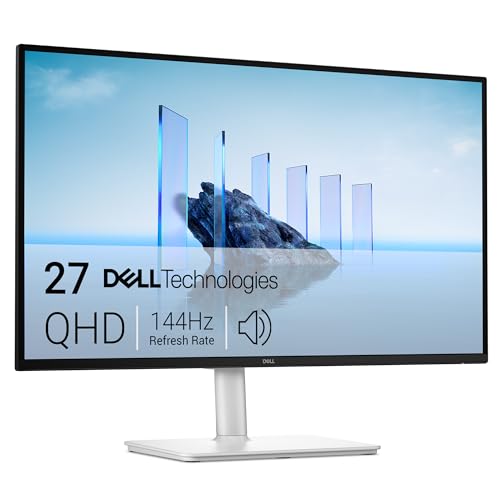 27-inch 1440p · USB-C + height adjustDell 27 Plus QHD USB-C Monitor (S2725DC)The sweet spot for a 27-inch screen if 4K is more than you need: 1440p is noticeably sharper than 1080p at this size, and the listing pairs it with USB-C at 65 W, a height-adjustable stand, TÜV 4-star eye comfort certification, an anti-glare panel, 99% sRGB, 144 Hz and two 3 W speakers.Watch out: Lower resolution than the 4K picks, so small text is less crisp on a Mac. Brightness and warranty length are not stated in what we read.Check price on Amazon.ca ↗
 24-inch 1080p · fully adjustable office standDell 24 Monitor (P2425H)The classic office screen, and the easiest to set at the right height: the stand tilts, swivels, pivots to portrait and moves up and down, as listed. 1080p is plenty at 24 inches for email, spreadsheets and video calls. Dell lists TÜV Rheinland 4-star eye comfort, ComfortView Plus low blue light, 99% sRGB, 1500:1 contrast and a 3-year Advanced Exchange Service.Watch out: No USB-C charging in this listing: you connect the laptop by HDMI or DisplayPort and keep its charger. 1080p on 24 inches shows less at once than a 27-inch 1440p.Check price on Amazon.ca ↗
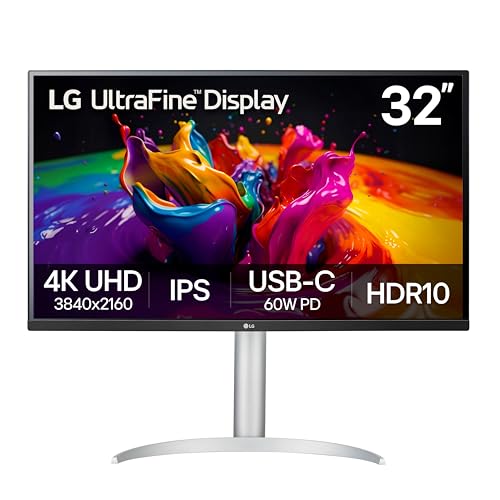 32-inch 4K · big screen, one cableLG UltraFine 32-inch 4K USB-C (32UP83AK-W)For spreadsheets, timelines and two full windows side by side: 32 inches of 4K IPS, VESA DisplayHDR 400, 95% sRGB, two HDMI ports and built-in speakers, as listed. The USB-C port carries video, data and up to 60 W of laptop charging, and the stand tilts, adjusts in height and pivots.Watch out: A 32-inch screen needs a deep desk to sit at arm's length. Refresh rate and eye-comfort features are not stated in what we read, and 60 W is the lowest charging on this page.Check price on Amazon.ca ↗
A computer monitor for a home office is chosen on five things, in this order: the size and resolution your desk and eyes can handle, whether it has USB-C with power delivery so a laptop plugs in with one cable, whether the stand adjusts in height, which eye-comfort features the maker actually states, and whether it works well with a Mac. Refresh rate matters for games, much less for email.
The short answer
- One cable to a laptop, sharp text: the Dell S2725QC, 27-inch 4K with 65 W USB-C, as listed.
- 27-inch with a height-adjustable stand: the Dell S2725DC, 1440p, 65 W USB-C, TÜV 4-star eye comfort.
- Shallow desk or classic office: the Dell P2425H, 24-inch 1080p, stand that tilts, swivels, pivots and rises.
- MacBook: the ASUS ProArt PA279CRV (96 W USB-C) or the BenQ PD2706U (90 W USB-C and a KVM switch).
- Biggest canvas: the LG UltraFine 32UP83AK, 32-inch 4K with 60 W USB-C.
How we picked, and what we did not do: we have not used any of these monitors. We looked for one model per real home-office use (27-inch 4K with USB-C, 27-inch 1440p with USB-C, 24-inch office screen, 32-inch 4K, Mac and colour work, two computers, budget second screen, gaming) across Dell, LG, ASUS, BenQ, Samsung and HP, and read every specification from the manufacturer’s Amazon.ca listing on November 27, 2026. Every product on a card was in stock in Canada that day; most of BenQ’s eye-care office line and several HP office monitors were out of stock, low in stock or on a delivery delay, and were left out. Where a listing leaves a feature out, we write “not stated”. Links to Amazon are affiliate links; BranchéQC may earn a commission at no extra cost to you. We do not write prices by hand: the button says “Check price on Amazon.ca” and the Amazon page is what counts.
24-inch 1080p, 27-inch 1440p or 4K, 32-inch 4K: which size?
Size and resolution go together. The same 1920 × 1080 pixels look crisp on a 24-inch screen and soft on a 27-inch one, because the pixels are bigger. These are the pairs that make sense for office work:
| Size | Resolution | Good for | Our pick |
|---|---|---|---|
| 24 inch | 1080p (Full HD) | Shallow desk, second screen, email and video calls | Dell P2425H, Samsung LS24D300 |
| 27 inch | 1440p (QHD) | Two documents side by side, Windows laptops, light gaming | Dell S2725DC, LG 27G610A |
| 27 inch | 4K (UHD) | Sharpest text, Mac, photos | Dell S2725QC, ASUS PA279CRV, BenQ PD2706U |
| 32 inch | 4K (UHD) | Spreadsheets, timelines, two full windows | LG 32UP83AK-W |
A 27-inch monitor is the most searched size in Canada for a reason: it is the largest screen that still sits comfortably at arm's length on most home desks. A 32-inch needs a deeper desk or a monitor arm that lets you push it back. A 27-inch 1080p screen, like Samsung's 27-inch LS27D300, works for watching video but shows text less sharply than 1440p.
USB-C with power delivery: one cable for your laptop
This is the feature that changes a work-from-home desk most. A USB-C monitor with power delivery takes a single cable from the laptop that carries the picture, the data for the monitor's USB ports and the laptop's charging. You come back to the desk, plug in one cable, and the laptop is charging on a big screen. The wattage is the number to compare, and only the listing gives it:
| Model | USB-C charging (listed) | Size / resolution |
|---|---|---|
| ASUS ProArt PA279CRV | 96 W | 27 in 4K |
| BenQ PD2706U | 90 W | 27 in 4K |
| Dell S2725QC | 65 W | 27 in 4K |
| Dell S2725DC | 65 W | 27 in 1440p |
| LG UltraFine 32UP83AK-W | 60 W | 32 in 4K |
| Dell P2425H, Samsung LS24D300, LG 27G610A | Not stated | HDMI / DisplayPort |
Two checks before you buy. First, your laptop's USB-C port must support video output and charging; most recent laptops do, some budget models charge only. Second, compare the monitor's wattage with your laptop's charger: a laptop that draws more than the monitor supplies still works, it just charges slower under load. If you need more ports than the monitor has, a USB-C docking station adds them.
The eight monitors, compared on published specs
Every figure is the manufacturer’s own, from the Amazon.ca listing. Where a listing gives no number or feature, the table says so rather than guessing.
| Model | Size | Resolution | Refresh | USB-C | Stand (listed) | Eye comfort (listed) |
|---|---|---|---|---|---|---|
| Dell 27 4K USB-C Monitor (S2725QC) | 27 in | 4K UHD (3840 × 2160), IPS | 120 Hz | Yes, 65 W power delivery | Not stated | ComfortView Plus (blue light ≤ 35%) |
| Dell 27 Plus QHD USB-C Monitor (S2725DC) | 27 in | QHD (2560 × 1440), IPS | 144 Hz | Yes, 65 W power delivery | Height-adjustable | TÜV 4-star eye comfort |
| Dell 24 Monitor (P2425H) | 23.8 in | Full HD (1920 × 1080), IPS | 100 Hz | Not stated | Tilt, swivel, pivot, height | TÜV 4-star, ComfortView Plus |
| LG UltraFine 32-inch 4K USB-C (32UP83AK-W) | 32 in | 4K UHD (3840 × 2160), IPS | Not stated | Yes, 60 W power delivery | Tilt, height, pivot | Not stated |
| ASUS ProArt PA279CRV 27-inch 4K USB-C | 27 in | 4K UHD (3840 × 2160), IPS | Not stated | Yes, 96 W power delivery | Height-adjustable | Not stated |
| BenQ PD2706U 27-inch 4K, 90 W USB-C + KVM | 27 in | 4K UHD (3840 × 2160), IPS | Not stated | Yes, 90 W | Not stated | Not stated |
| Samsung 24-inch FHD IPS Monitor (LS24D300GANXZA) | 24 in | Full HD (1920 × 1080), IPS | 100 Hz | Not stated | Not stated | Eye Saver Mode |
| LG UltraGear 27-inch QHD 200 Hz (27G610A-B) | 27 in | QHD (2560 × 1440), IPS | 200 Hz | Not stated | Tilt, height, swivel, pivot | Not stated |
Which monitor for your home office
Dell 27 4K USB-C Monitor (S2725QC)27 in · 4K UHD (3840 × 2160), IPSThe monitor most people working from home should look at first: a 27-inch 4K IPS panel, so text is sharp and two documents fit side by side, plus a USB-C port that carries the picture and charges a laptop at up to 65 W, as listed. One cable from the laptop to the screen, and the desk is done. Dell lists 99% sRGB, 350 nits, an anti-glare coating, 120 Hz with FreeSync Premium, two 5 W speakers, a VESA 100 × 100 mount and Energy Star.Watch out: The listing title and features we read do not state height adjustment, so plan on a monitor arm or riser if the screen sits too low. 65 W is enough for many ultrabooks; a larger laptop that draws more will charge slower.Check price on Amazon.ca ↗Dell 27 Plus QHD USB-C Monitor (S2725DC)27 in · QHD (2560 × 1440), IPSThe sweet spot for a 27-inch screen if 4K is more than you need: 1440p is noticeably sharper than 1080p at this size, and the listing pairs it with USB-C at 65 W, a height-adjustable stand, TÜV 4-star eye comfort certification, an anti-glare panel, 99% sRGB, 144 Hz and two 3 W speakers.Watch out: Lower resolution than the 4K picks, so small text is less crisp on a Mac. Brightness and warranty length are not stated in what we read.Check price on Amazon.ca ↗Dell 24 Monitor (P2425H)23.8 in · Full HD (1920 × 1080), IPSThe classic office screen, and the easiest to set at the right height: the stand tilts, swivels, pivots to portrait and moves up and down, as listed. 1080p is plenty at 24 inches for email, spreadsheets and video calls. Dell lists TÜV Rheinland 4-star eye comfort, ComfortView Plus low blue light, 99% sRGB, 1500:1 contrast and a 3-year Advanced Exchange Service.Watch out: No USB-C charging in this listing: you connect the laptop by HDMI or DisplayPort and keep its charger. 1080p on 24 inches shows less at once than a 27-inch 1440p.Check price on Amazon.ca ↗LG UltraFine 32-inch 4K USB-C (32UP83AK-W)32 in · 4K UHD (3840 × 2160), IPSFor spreadsheets, timelines and two full windows side by side: 32 inches of 4K IPS, VESA DisplayHDR 400, 95% sRGB, two HDMI ports and built-in speakers, as listed. The USB-C port carries video, data and up to 60 W of laptop charging, and the stand tilts, adjusts in height and pivots.Watch out: A 32-inch screen needs a deep desk to sit at arm's length. Refresh rate and eye-comfort features are not stated in what we read, and 60 W is the lowest charging on this page.Check price on Amazon.ca ↗ASUS ProArt PA279CRV 27-inch 4K USB-C27 in · 4K UHD (3840 × 2160), IPSSold as a monitor for Mac, and the most generous charger on this page: USB-C with 96 W power delivery, enough headroom for most MacBook Pro models to run on one cable. The listing also states 99% DCI-P3 and 99% Adobe RGB, factory calibration to Delta E < 2 (Calman Verified), daisy chaining and a height-adjustable stand.Watch out: Built for colour accuracy, which an office worker may not need. Refresh rate and eye-comfort features are not stated in what we read.Check price on Amazon.ca ↗BenQ PD2706U 27-inch 4K, 90 W USB-C + KVM27 in · 4K UHD (3840 × 2160), IPSFor the home office that holds a work laptop and a personal computer: the built-in KVM switch shows either one and lets one keyboard and mouse control both, as listed. 90 W over USB-C charges a Mac on the same cable that carries the picture. BenQ lists 95% P3, 99% sRGB and Rec.709 at Delta E ≤ 3, DisplayHDR 400, factory calibration, and Darkroom, CAD/CAM and Animation modes.Watch out: BenQ's eye-care office line (GW series) was not in stock in Canada the day we checked, so this is the BenQ pick. Stand adjustments and flicker-free status are not stated in what we read.Check price on Amazon.ca ↗Samsung 24-inch FHD IPS Monitor (LS24D300GANXZA)24 in · Full HD (1920 × 1080), IPSThe simplest way to add a second screen beside a laptop: a 24-inch Full HD IPS panel, 100 Hz, Eye Saver Mode and a super-slim design, in the Canada version, as listed. Samsung sells the same panel in 27 inches as the LS27D300GANXZA.Watch out: No USB-C, no stated height adjustment and a basic stand: put it on a riser or an arm to bring the top of the screen near eye level.Check price on Amazon.ca ↗LG UltraGear 27-inch QHD 200 Hz (27G610A-B)27 in · QHD (2560 × 1440), IPSWork by day, play at night: 27-inch QHD IPS at 200 Hz with a 1 ms (GtG) response time, AMD FreeSync Premium and VESA DisplayHDR 400, as listed. The stand tilts, adjusts in height, swivels and pivots, which is rarer than it should be on a gaming screen. Inputs are HDMI 2.0 and DisplayPort.Watch out: No USB-C charging stated, so it is a desktop or console screen more than a one-cable laptop dock.Check price on Amazon.ca ↗


Height adjustment and where to put the monitor
A monitor that sits too low makes you look down all day. The Canadian Centre for Occupational Health and Safety (CCOHS) says an arm's length is usually a good distance, that the top of the screen should not be higher than your eyes, and that a screen set too high causes more discomfort than one slightly too low. For two monitors used equally, it suggests placing them edges touching in front of you, or angled in a semi-circle; if one is the main screen, put that one straight in front of you. Both should be at the same height.
The stand is what lets you get there. On this page the Dell P2425H and LG 27G610A list tilt, swivel, pivot and height; the Dell S2725DC, LG 32UP83AK and ASUS PA279CRV list height adjustment. For the others, or to free desk space, the Dell S2725QC and S2725DC state a VESA 100 × 100 mount, and a monitor arm does the job. Working from a laptop alone? A laptop stand brings its screen up too, and a standing desk changes the whole height of the setup.
Eye comfort: flicker-free, low blue light and TÜV
Monitor makers advertise three kinds of eye-comfort feature, and they are not the same thing. Flicker-free means the backlight does not pulse to dim the screen. Low blue light modes, such as Dell's ComfortView Plus (blue light emissions reduced to 35% or less, as listed) or Samsung's Eye Saver Mode, shift the colour. TÜV Rheinland certification, like the 4-star rating on the Dell P2425H and S2725DC, is a third-party label on the display.
We only repeat what each listing states. None of the eight listings we read uses the word “flicker-free” in its title or main features, so the table says “not stated” where the listing is silent; check the manufacturer's specification page if it matters to you. Comfort at a desk also depends on what is around the screen: light from a window behind the monitor or a bare bulb in your eyes tires you faster than any panel. A desk lamp aimed at the desk, not the screen, helps in Quebec's dark winter afternoons.
Monitors for a Mac or MacBook
macOS draws text best on a high-resolution screen, so a 27-inch 4K is the usual match for a MacBook; at 27-inch 1440p, text looks less crisp on a Mac than on Windows. Look for USB-C with enough wattage to charge your MacBook on the same cable. The ASUS ProArt PA279CRV is sold as a monitor for Mac with 96 W; the BenQ PD2706U lists 90 W and says it charges Mac devices on one cable. Apple's own Studio Display is the “Apple monitor” people search for; it is sold by Apple and not compared here.
One thing to check on Apple's site, not ours: how many external displays your Mac model supports. It depends on the chip and the model, and Apple's technical specifications page for your Mac lists it.
Best gaming monitor for after work
A gaming monitor is about refresh rate (144 Hz, 200 Hz and up) and response time. For a home office that doubles as a gaming corner, the LG UltraGear 27G610A is the balanced pick: 27-inch QHD IPS at 200 Hz, 1 ms (GtG), FreeSync Premium and a stand that adjusts in height, as listed. OLED gaming monitors such as LG's 27-inch UltraGear OLED offer deeper blacks and faster response, but they are built for games and video; read the maker's warranty terms before making one your all-day work screen.
Dell, LG, Samsung, ASUS, BenQ or HP?
| Brand | Strength for a home office | On this page |
|---|---|---|
| Dell | Widest USB-C range, office stands, 3-year Advanced Exchange listed on the P2425H | S2725QC, S2725DC, P2425H |
| LG | UltraFine 4K and 32-inch, UltraGear gaming | 32UP83AK-W, 27G610A |
| Samsung | Budget IPS screens, ViewFinity 4K line | LS24D300, LS27D300 |
| ASUS | ProArt colour-calibrated screens, high USB-C wattage | PA279CRV |
| BenQ | Eye-care GW line, designer PD line with KVM | PD2706U |
| HP | Simple office screens | 324pf (mentioned) |
HP's 324pf 24-inch Full HD is a plain office screen with a VESA 100 × 100 mount, an ultra-thin bezel and HDMI and DisplayPort-to-HDMI cables in the box, as listed; it has no stated USB-C or height adjustment. MSI, AOC and Acer also sell many office and gaming monitors in Canada; the same five questions apply to them.
Two monitors, ultrawide or curved?
A dual monitor setup is the cheapest way to get more screen: a laptop plus one external monitor, or two monitors side by side. An ultrawide gives the same width without a bezel in the middle and is usually curved so the edges stay at the same distance from your eyes. A curve on a 24 or 27-inch screen adds little for office work. A portable monitor, thin and powered by USB-C, is a travel screen, too small and too low to work on all day at home.
Where to buy a computer monitor in Canada
| Retailer | Strength | Note |
|---|---|---|
| Amazon.ca | Wide range, Canada-version listings | Check the exact model number: Dell and LG sell near-identical screens under different codes |
| Best Buy, Staples, Canada Computers | Store pickup, see the screen in person | Compare the listed USB-C wattage and stand |
| Costco.ca | Bundles and extended returns | Range changes with the season |
| Dell.ca, Lenovo.com | Manufacturer warranty options | Business lines with longer warranties |
Frequently asked questions
What is the best computer monitor for working from home in Canada?
For most people, the Dell S2725QC: a 27-inch 4K IPS screen with USB-C that charges a laptop at up to 65 W, so one cable does everything, as listed. If you want a height-adjustable stand built in, the Dell S2725DC gives 27-inch 1440p with the same 65 W USB-C. Both were in stock on Amazon.ca on November 27, 2026.
Is a 24-inch or a 27-inch monitor better for working from home?
A 27-inch is better if your desk allows it, because it fits two documents side by side. At 27 inches, choose 1440p or 4K; 1080p looks soft at that size. A 24-inch 1080p screen, like the Dell P2425H, suits a shallow desk or a second screen beside a laptop.
Do I need a 4K monitor?
You need 4K if you read a lot of small text, work on a Mac or use a 32-inch screen. For a 27-inch on Windows, 1440p is already sharp and easier for an older laptop to drive. At 24 inches, 1080p is enough for office work.
Can a monitor charge my laptop?
Yes, if both have USB-C with power delivery. The monitor's listing states the wattage: 65 W for the Dell S2725QC and S2725DC, 60 W for the LG 32UP83AK, 90 W for the BenQ PD2706U and 96 W for the ASUS PA279CRV. Check that your laptop's USB-C port supports both video and charging; a laptop that draws more than the monitor supplies charges slower.
What is the best monitor for a MacBook?
A 27-inch 4K with USB-C, because macOS text looks its best on a high-resolution screen and one cable can charge the Mac. The ASUS ProArt PA279CRV is listed as a monitor for Mac with 96 W USB-C; the BenQ PD2706U lists 90 W. Check Apple's technical specifications for how many external displays your Mac model supports.
Where should I put my monitor?
About an arm's length away, with the top of the screen no higher than your eyes. That is the guidance of the Canadian Centre for Occupational Health and Safety, which adds that a screen set too high is worse than one slightly too low. With two monitors, keep both at the same height.
Curved, ultrawide or two monitors?
Two flat monitors are the most flexible for office work and cost the least per screen. An ultrawide replaces two screens without a bezel in the middle and is often curved so the edges stay at the same distance. A curved 24 or 27-inch screen brings little for spreadsheets.
Is a portable monitor good for working from home?
Only as a travel or temporary screen. A portable monitor is thin, powered by USB-C and usually 15 to 16 inches, which is too small and too low to use all day. At a home desk, a 24 or 27-inch monitor on a stand or arm is the better choice.
Do I need to calibrate a new monitor?
Not for office work: set the brightness to match your room, use the sRGB or standard mode, and turn on any low blue light mode the monitor offers in the evening. Photo and video work is different; the ASUS ProArt and BenQ PD2706U state factory calibration on their listings.
Keep reading
Building a home office? Our guides to the best standing desk, best office chair and best laptop for working from home compare models on what each listing states, as do the best monitor arm, best desk lamp, best laptop stand, best USB-C docking station and best ergonomic mouse guides.
A monitor makes a practical holiday gift for someone who works from home. For more ideas, see our gift guide for Canada.